





Creating and using a custom Sitecore command involves several steps. Here’s a step-by-step guide to help you through the process.
Step 1
Create a class which inherits below class
Sitecore.Shell.Framework.Commands.Command
Step 2:
Create a patch file (Foundation.Sync.config) in the App_Config/Include/Foundation folder to register the new command in Sitecore.
Step 3:
Open Core Database and navigate to the /sitecore/content/Applications/Content Editor/Ribbons/Chunks.
Create a new item using the /sitecore/templates/System/Ribbon/Chunk template.
Under the Chunk You can crate multiple Ribben button with using
/sitecore/templates/System/Ribbon/Large Button Template
It’s look like below:
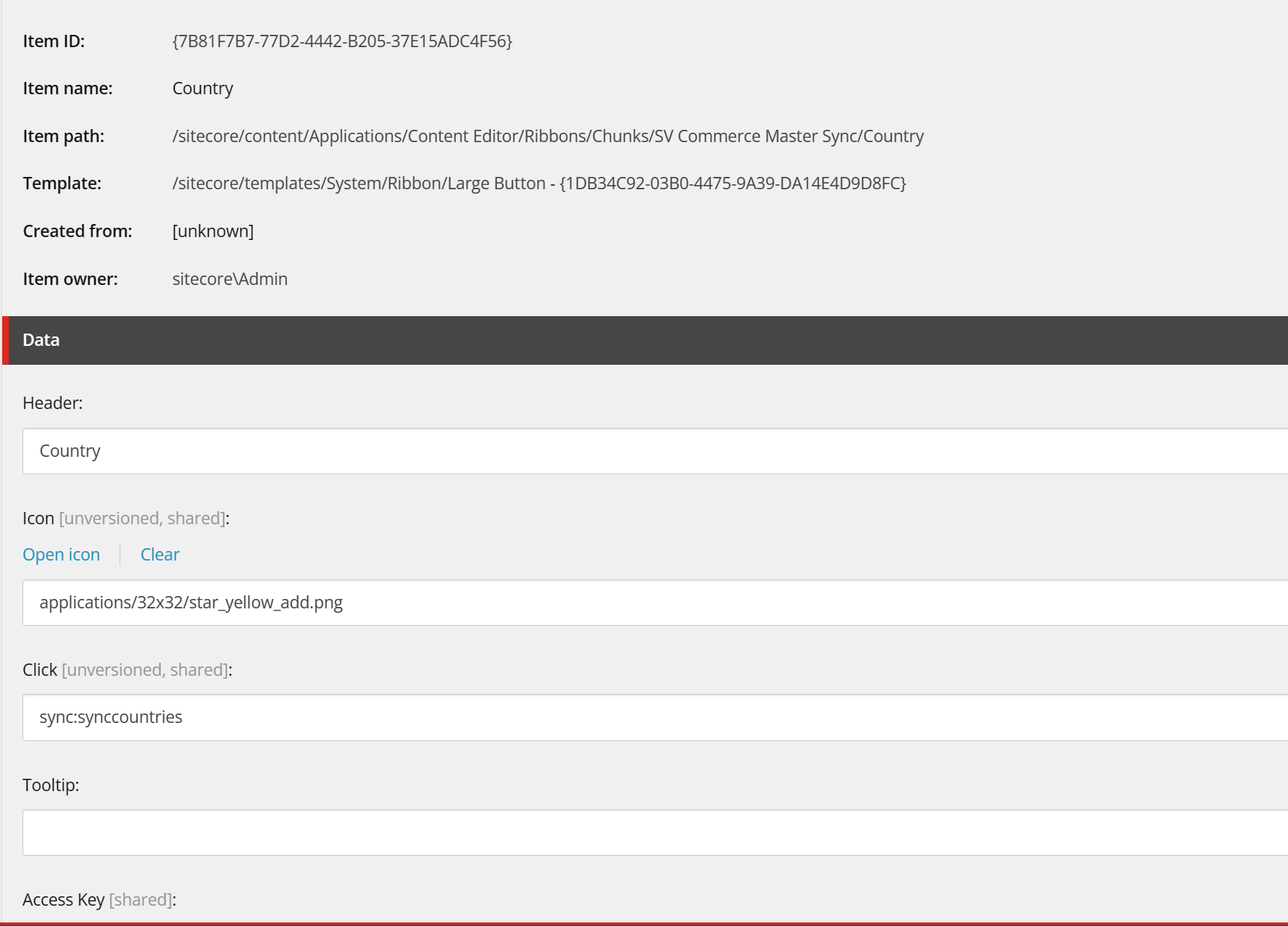
On the Click Filed write command name that we have given in the config patch file.
Create on Strips under
/sitecore/content/Applications/Content Editor/Ribbons/Strips
With using /sitecore/templates/System/Ribbon/Strip Template
Give a name SV Commerce
Under the SV Commerce add one more item with /sitecore/templates/System/Reference Template Give name : Sv Commerce
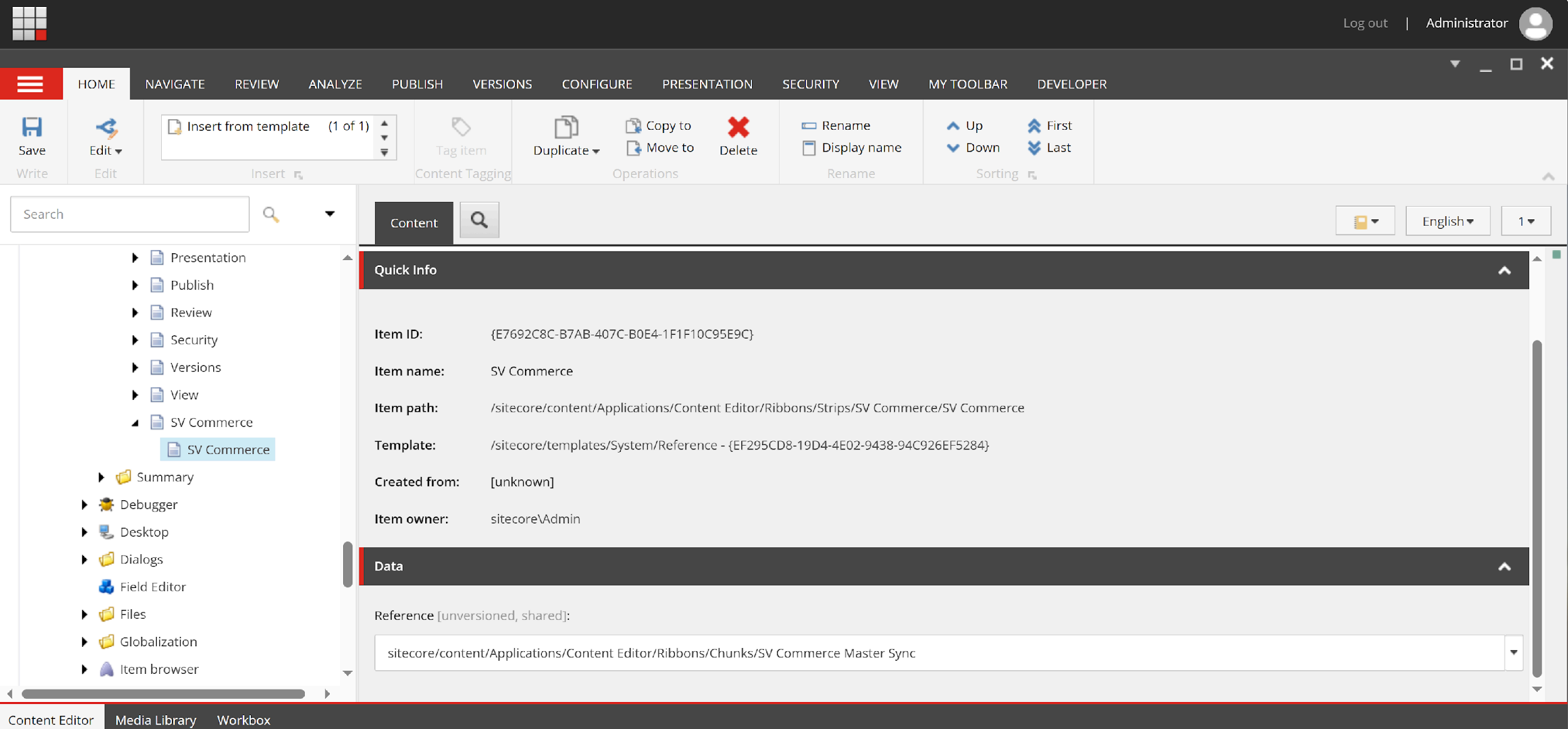
In the reference field select the chunk.
Once you have done the above process you can see a new ribbon tab on the sitecore menu bar. If it’s not visible right-click on the menu bar and select for visibility you can found newly created button out there.
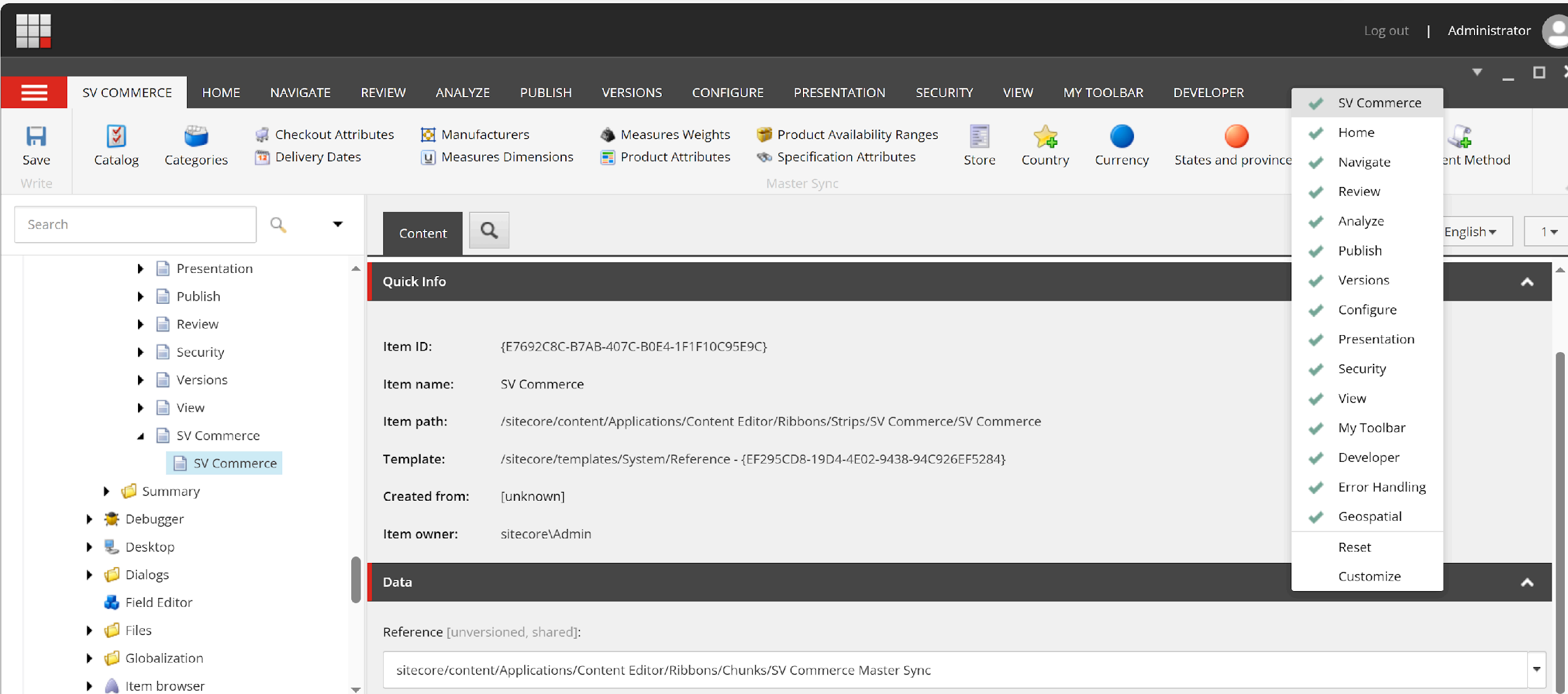
By clicking on the button it will call your command and finish the process.
Additional Considerations:
- Sitecore.Commands.config:After creating your command (either via template or code), you’ll need to register it in the
Sitecore.Commands.configfile located in theApp_Config/Sitecore/CMS.Corefolder. This file maps the command name defined in your template or class to its actual implementation. - Security: Ensure your commands are properly secured to prevent unauthorized access. Utilize Sitecore security mechanisms like roles and permissions to control who can execute specific commands.
Here are some resources for further exploration:
Sitecore Documentation on Command Templates: https://doc.sitecore.com/xp/en/developers/90/sitecore-experience-manager/create-a-command-template.html
How to Create Custom Command in Sitecore CMS? https://www.addact.net/how-to-create-custom-command-in-sitecore-cms
Sitecore.Commands.config File: https://doc.sitecore.com/xp/en/developers/102/platform-administration-and-architecture/use-a-patch-file-to-customize-the-sitecore-configuration.html


