





Introduction
Sitecore Search is a SaaS-based, AI-powered search and discovery solution that integrates seamlessly with Sitecore XM Cloud and other platforms. It enables flexible indexing options (via crawlers, API connectors, or ingestion APIs) and delivers fast, scalable, and personalized search experiences through REST APIs and SDKs.
Key Features of Sitecore Search
- AI-driven relevance & personalization to match user intent.
- Predictive search & auto-suggestions for faster discovery.
- Facets, filters, and sorting for intuitive navigation.
- Configurable widgets (search results, preview search, suggestions, recommendations).
- Analytics & insights for continuous optimization.
- Rules-based control for boosting, burying, and promoting content.
In this blog, we’ll cover three main steps:
- Indexing Data in Sitecore Search
- Using API Push (Ingestion API) for dynamic content
- Implementing Search in your Web Application
1. Indexing Data in Sitecore Search
Sitecore Search supports multiple indexing methods depending on your use case:
- Advanced Web Crawler – Best for websites (XM Cloud or traditional). Works like a headless browser, executing JavaScript, parsing HTML, and indexing multi-language content.
- Web Crawler – Lightweight crawler that fetches static HTML and follows links (no JavaScript support).
- API Crawler – Pulls structured data directly from JSON API endpoints, ideal for headless systems.
- Ingestion API (API Push) – Pushes content directly into the index in real time. Perfect for dynamic, high-frequency, or user-generated content.
In most cases, the Advanced Web Crawler is enough. But for real-time updates or API-driven data, API Push is the recommended method.
Once your content is indexed, you can surface it in the application using:
- REST API Endpoints (recommended for any frontend).
- React SDK (official integration library).
- Starter Kit (prototyping project on GitHub).
GitHub Starter Kit: Sitecore Search JS SDK Starter Kit
This starter kit demonstrates how to implement search results, filters, suggestions, and recommendations using the web crawler approach.
2. Using API Push (Ingestion API)
For scenarios like blogs, news feeds, or social content, where updates happen frequently, API Push is ideal. Instead of crawling pages, you push content directly into the Sitecore Search index.
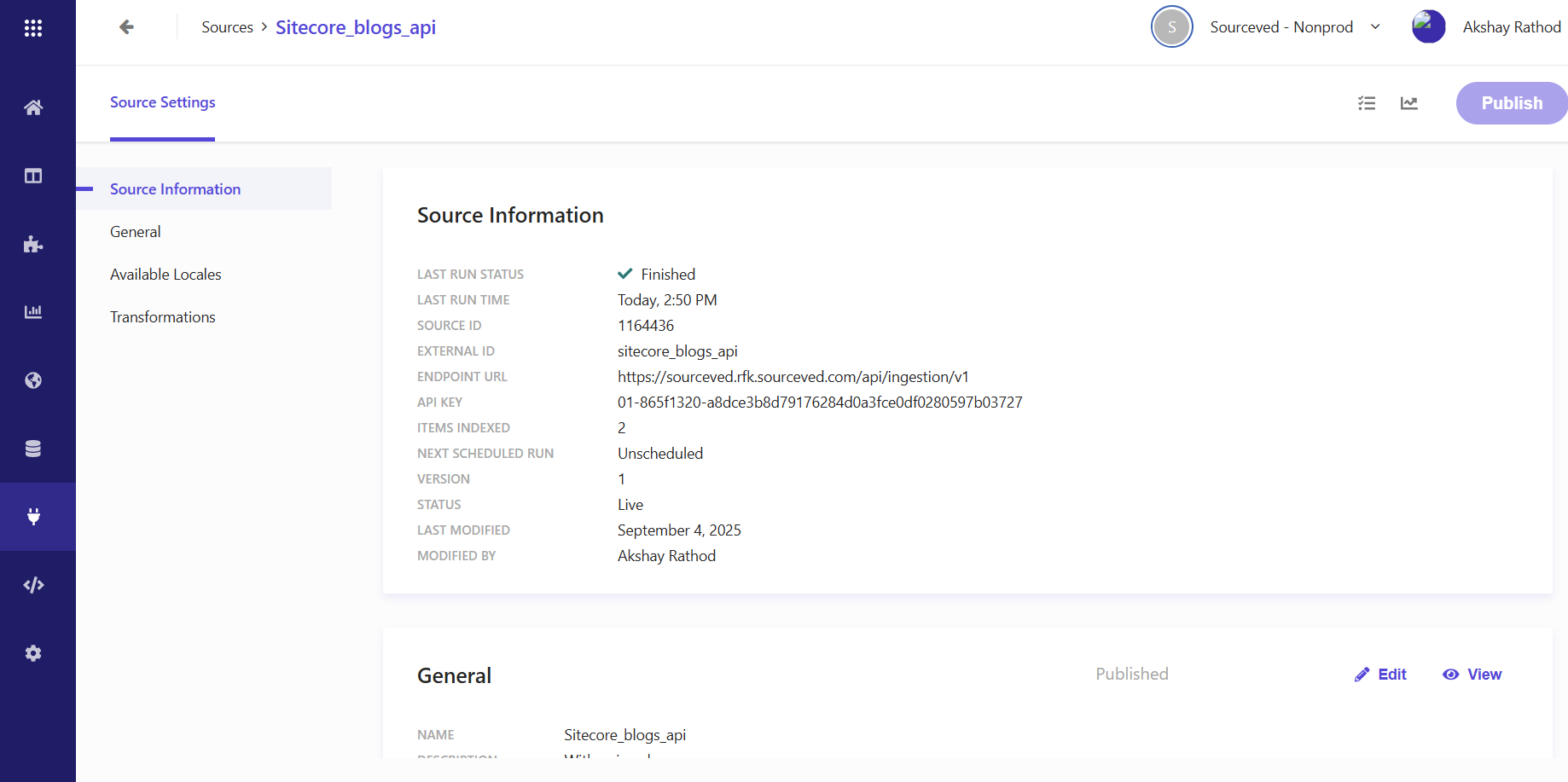
Configure API Push in the Sitecore Dashboard
- Log in to Sitecore Cloud Console → Sources.
- Click Add Source → Select API Push.
- Enter details:
- Source Name (e.g., Blog Push Source).
- Description (e.g., Multilingual blog indexing).
- Connector → API Push.
- Save and Publish the source.
Push Data with Ingestion API
For French content, just change locale=fr_fr and update the fields.
You can also:
- Update documents with PUT.
- Delete documents with DELETE.
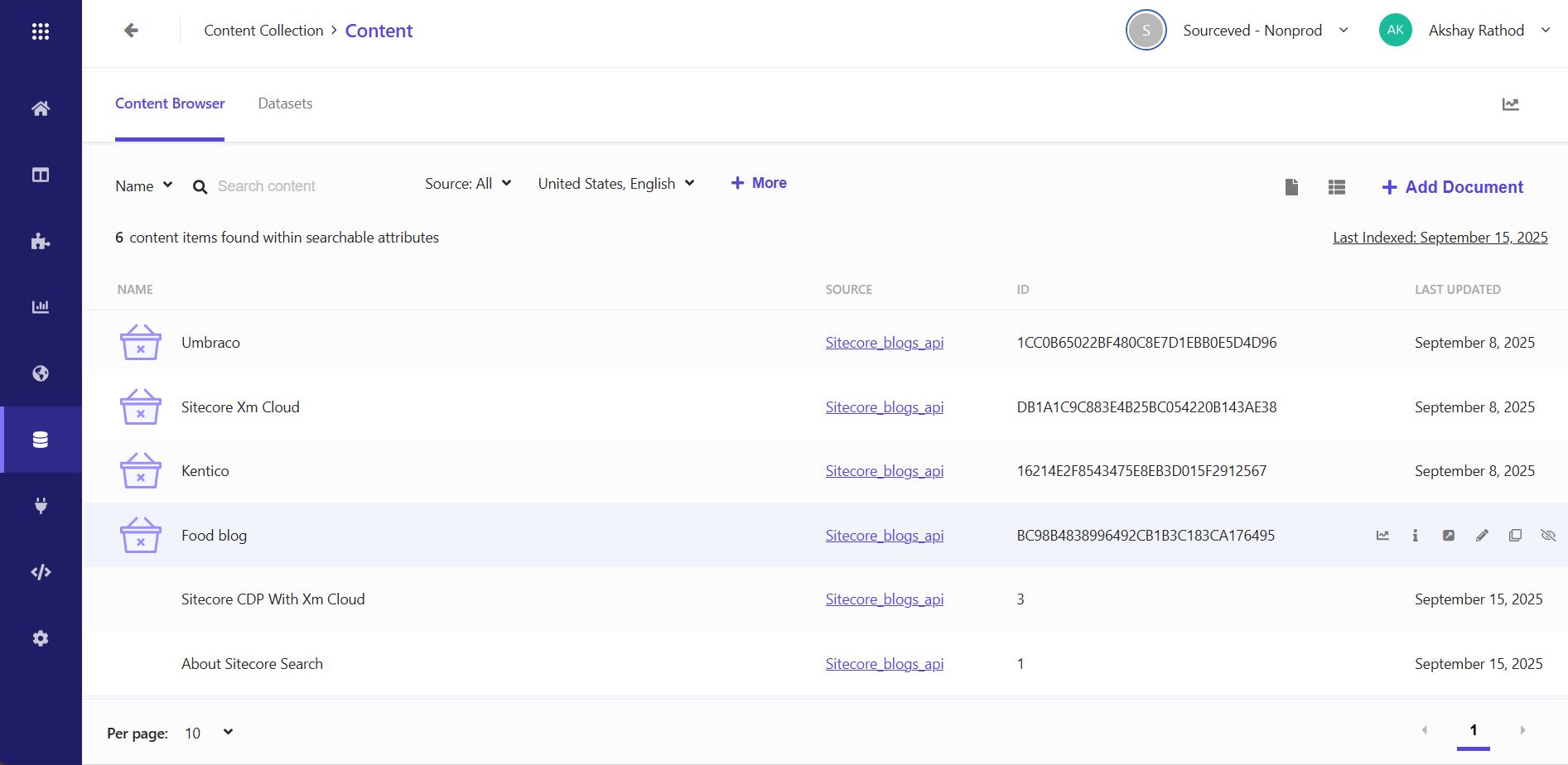
Additionally, we can view and manage our content items directly in the Sitecore Search dashboard under the Content Items section.
3. Implementing Search in Your Web Application
Create a Search Widget
From the Sitecore Search Dashboard:
- Navigate to Widgets → Add Widget.
- Choose a Widget Type:
- Search Results – Full search results page.
- Preview Search – As-you-type dropdown previews.
- Suggestion Block – Query autocomplete suggestions.
- Recommendation Block – Personalized/AI-driven recommendations.
- Configure:
- Select a data source (crawler or API Push).
- Define layout (title, description, image, etc.).
- Add filters/facets (category, tags, author, etc.).
- Save → Get your Widget ID (rfk_id), e.g., rfkid_search_results_123.
This call retrieves results from your Sitecore Search index using the configured source. You can integrate it with your front end to power:
- Search pages
- Autocomplete
- Faceted filtering
- Personalization
In Sitecore Search, these features can be configured from the Administrator panel under Domain Settings → Feature Configurations (as shown in the screenshot below).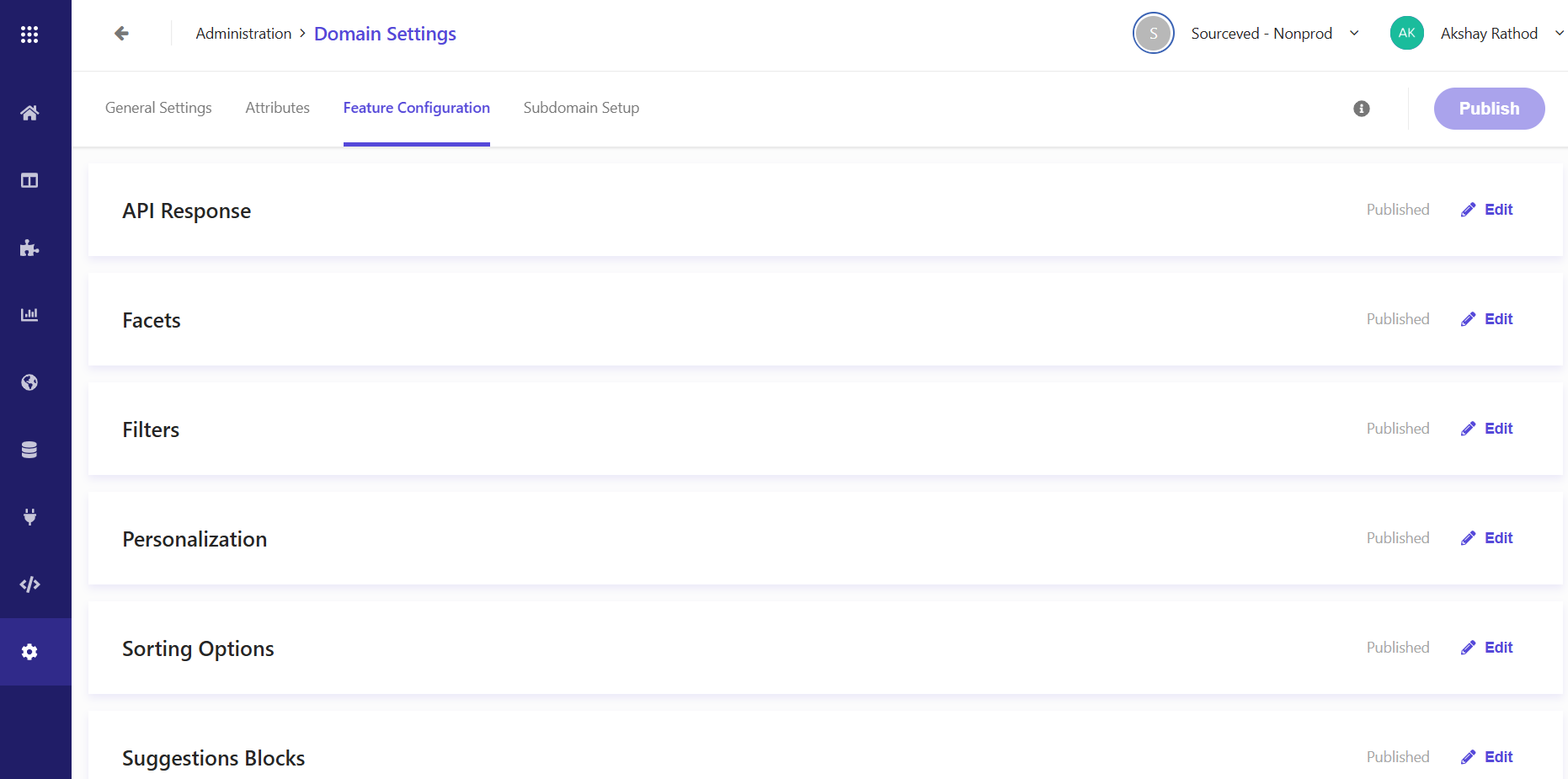
Conclusion
Sitecore Search with XM Cloud provides a flexible, AI-driven search experience.
- Use crawlers for standard content.
- Use API Push for real-time or dynamic data.
- Configure widgets in the dashboard to power search, preview, suggestions, and recommendations.
- Integrate using REST APIs, SDKs, or the Starter Kit.
By combining indexing flexibility, AI relevance, and developer tools, Sitecore Search helps deliver faster, more personalized search experiences for users.


